ElitePC NJ · In-House Laptop Board Repair
Laptop Motherboard & Liquid-Damage Repair
A dead or spill-damaged laptop may still be worth saving. At ElitePC in Garfield, NJ, we diagnose laptop motherboard faults and typically carry out suitable component-level repairs in-house.
We repair damaged parts or connections on the existing board when the fault, required components and overall condition make repair practical. That can give you another option before replacing the whole board or laptop.
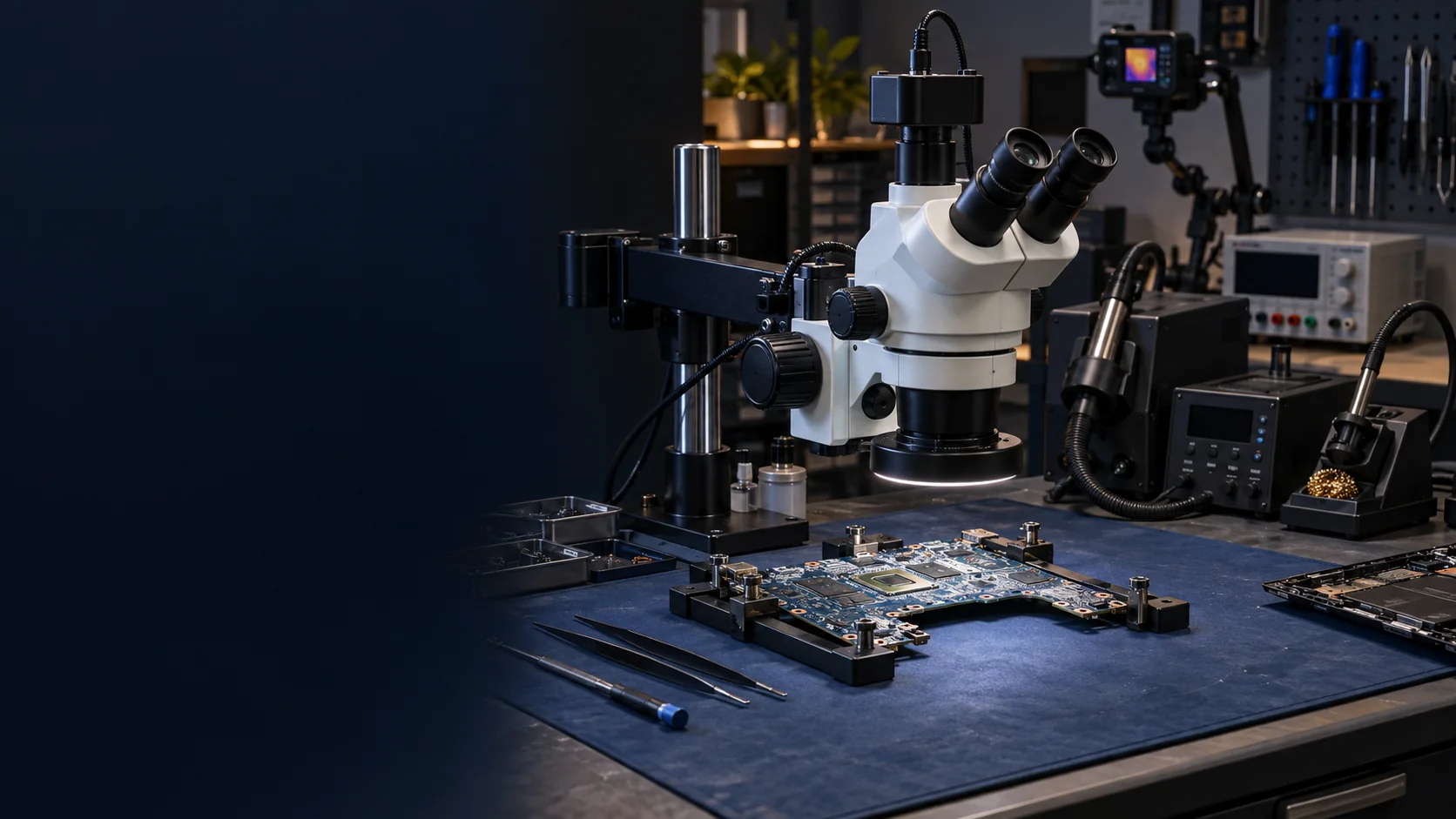
Tools for component-level laptop board repair.
Is the Fault on the Motherboard?
No power, intermittent operation, trouble after a spill or a damaged connection can point to a motherboard fault. They do not prove which part has failed. Even a laptop with lights and fans but no picture may have a display, memory or other hardware problem.
We diagnose the cause before recommending board repair. A charger, battery, charging port, display or memory fault can produce similar symptoms. Identifying the fault helps you avoid paying for the wrong repair.
Our Computer Diagnostics service helps when the cause is unclear. For charging problems, Laptop Charging Port Repair includes DC-jack, USB-C and charging-circuit assessment.
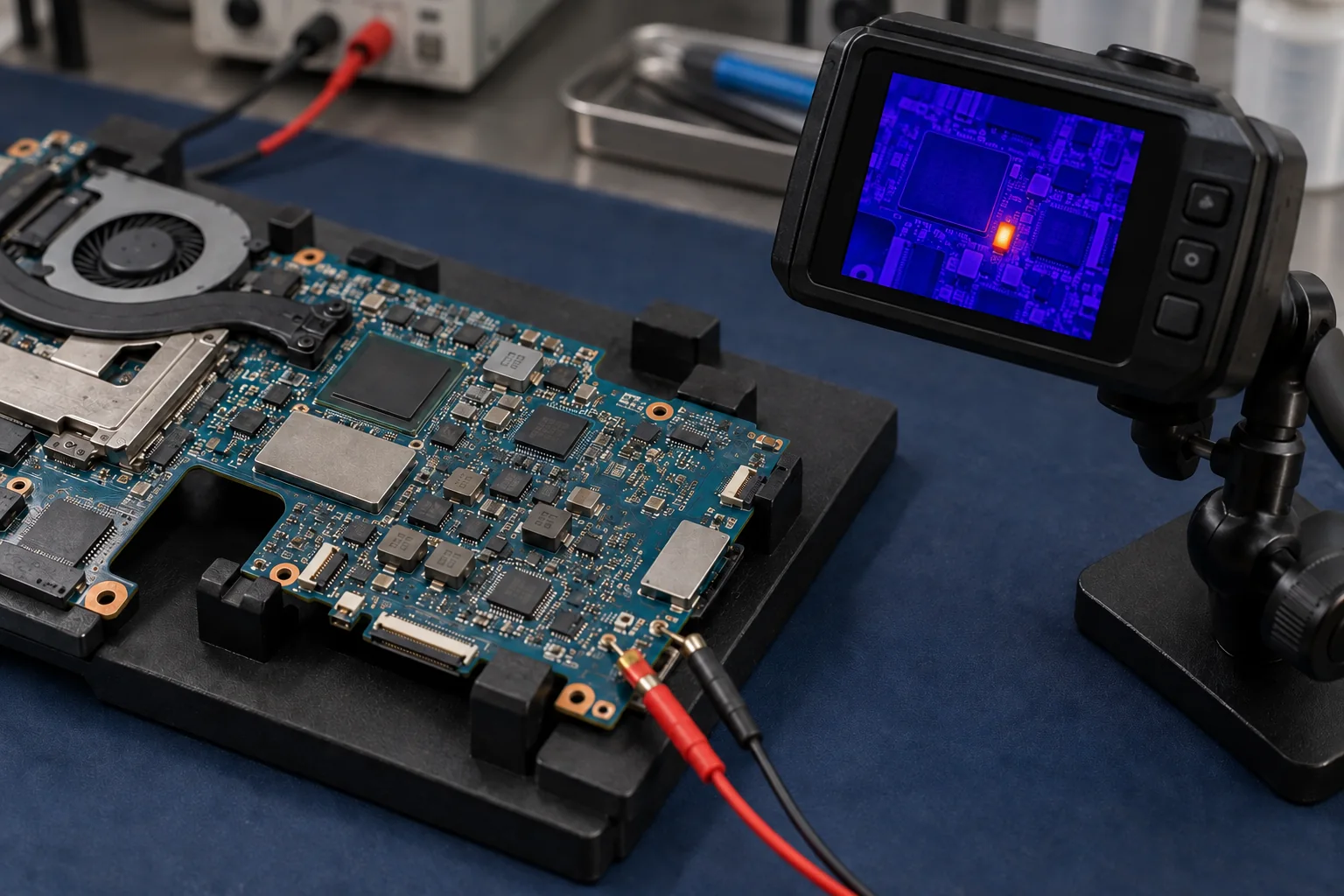
A thermal hot spot helps narrow the search, but it does not identify a failed component on its own.
MacBook Logic Boards and Other Laptops
We assess motherboard faults in everyday, work and gaming laptops, including MacBook logic boards. The exact model, construction, available parts and fault determine whether repair is practical. Motherboard, mainboard and logic board are names for the computer’s main circuit board.
Find the Fault at Component Level
Our repair bench includes a trinocular microscope, hot-air and soldering stations, a bench power supply and a thermal camera. Together, these tools support fault-finding and work on small board components and connections.
Magnification helps us inspect small components and connections. Thermal imaging can narrow the search for a fault, but a hot spot alone does not identify a shorted capacitor or prove which part has failed.
Repair the Existing Board or Replace It?
Component-Level Repair:
A faulty component, damaged connector or circuit-board track can sometimes be repaired while keeping the existing board. We consider this when the fault and the rest of the board make repair practical.
Complete-Board Replacement:
A compatible replacement board can be the better option when component repair is unsuitable or offers poor value. This replaces the complete assembly rather than repairing individual parts on the original board.
What to Do After a Laptop Spill
Stop using and charging the laptop. Disconnect external power only if you can do so safely, then contact ElitePC before bringing it in. Do not turn it back on to see whether it has dried, apply heat, put it in rice or open it for internal battery work.
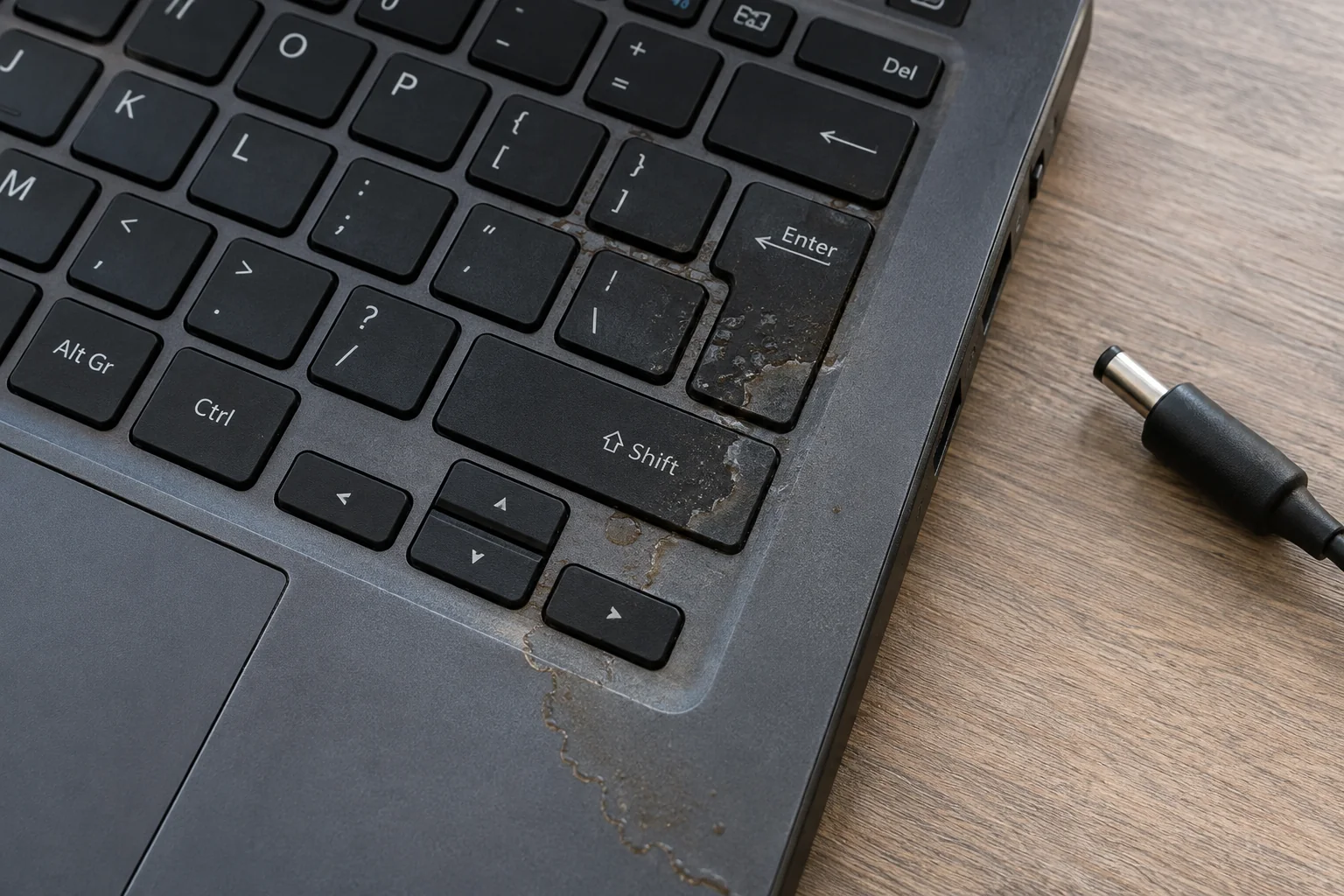
A dry-looking keyboard can still hide liquid damage underneath.
Dry on the Outside Can Still Mean Damage Inside
Liquid can reach beneath the keyboard and leave contamination on the board. The liquid involved, time since the spill and whether the laptop was powered afterward affect the assessment. Drying alone does not show whether the board is safe or repairable.
Tell us what spilled, where it landed, when it happened and what has been tried since. A laptop that appeared to work after a spill can still have unresolved damage.
If There Is Heat, Swelling or Smoke
For a burning smell or swollen battery, stop using and charging the laptop, and do not turn it back on. Disconnect external power only if safe, without touching hot, leaking or smoking parts. Do not press, puncture or remove the battery. Contact ElitePC before moving or bringing in the device.
If there is active smoke or flame, do not handle the laptop. Leave the area and call emergency services.
Is the Laptop or Its Data the Priority?
If the files matter more than the laptop, tell us when you get in touch. Our limited Data Recovery service may be more relevant than restoring the computer for everyday use.
Board repair does not guarantee file access. Some storage is soldered in place; encrypted storage may depend on the original hardware and valid credentials or recovery keys. Removing a drive is not a universal shortcut, and moving it does not bypass encryption.
Board Repair Cost and Repairability
Minimum board repair
$250
$250 is the minimum board repair price, not a flat price for every job. The actual quote varies with the complexity of the fault and the components needed. The laptop’s condition and the extent of damage also affect whether repair is worthwhile.
If the Board Cannot Be Repaired
The no-fix fee for an unsuccessful board repair is $50 to $100. It reflects the work involved in diagnosis and repair. Discuss the applicable charge before authorizing work.
Not Every Board Can Be Repaired
If the processor (CPU) or graphics chip (GPU) is the fault, the board is not repairable through ElitePC’s board-repair service. Burnt internal board layers or other extensive damage may also make a board unrepairable. Parts availability and the remaining condition of the board also affect what is possible. An assessment is not a guarantee of repair.
Replacement may be better value for a low-value or extensively damaged laptop, even when its board fault can be repaired. The decision depends on the complete repair cost and useful life left in the computer, not its age alone.
A Repair That Makes Sense for Your Laptop
The screen, battery, hinges, storage and the rest of the laptop matter too. A board repair offers less value if several other parts also need work.
We help compare the repair with a compatible replacement board or another laptop that meets your needs. The work and parts required, remaining problems, parts timing, fees and repair-specific warranty terms all affect that decision.
Already Quoted for a Replacement Board?
A previous diagnosis and replacement-board quote give us a starting point for checking whether the original board can be repaired. Component repair may offer another option, but it will not be possible or cheaper in every case.
Battery, hinge or keyboard problems may need attention alongside the board fault. Our Computer Repair service covers those broader laptop repairs.
When Desktop Motherboard Replacement Makes More Sense
Desktop motherboard replacement is usually more economical because compatible boards are often easier to find. Our component-level repair service is for laptop motherboards only; we do not repair desktop motherboards.
Our Motherboard Replacement service covers complete-board choice, compatibility and installation.
Repair Timing and Testing
Repair time depends on the parts needed and how quickly they can be sourced. Once the fault and required parts are known, we can discuss a realistic repair timeframe.
Post-repair checks focus on the fault repaired and the relevant functions that can be tested. The laptop’s condition can limit those checks. Warranty terms depend on the repair.
Has Anyone Already Tried to Repair the Board?
ElitePC accepts board-repair work only when no previous component-level repair has been attempted on the board. We do not take over an unfinished or unsuccessful component-level board repair, even when that work is disclosed in advance.
What Counts as a Previous Board Repair?
This means work on the board’s components or circuitry, such as soldering, replacing or removing components, repairing tracks, or an attempted chip repair. Ordinary computer servicing, replacing a separate part or a diagnosis without attempted component-level board repair does not by itself fall under this restriction.
Tell Us About Previous Board Work
If we find evidence of earlier component-level board repair that was not disclosed beforehand, the job will be rejected and a diagnostic fee will be charged. Tell us what work was done before arranging an assessment.
Why We Do Not Take Over These Jobs
A previous attempt can leave altered circuits, missing components or additional damage. The work then involves finding the original fault and working out what was changed or removed. For that reason, ElitePC does not accept boards that have already had component-level repair attempts.
Component-Level Repair Capabilities
For eligible laptop boards, the work depends on the fault, available components and extent of damage. Assessment helps establish what is practical.
Complex fault diagnosis
Investigate board-related failures and identify a possible repair route.
Precision microsoldering
Work on small components and connections that need detailed soldering techniques.
Faulty component replacement
Replace affected board components when a targeted repair is suitable.
Liquid-damage assessment
Inspect corrosion and damaged components to assess possible restoration work.
MacBook logic board repair
Assess component-level faults on MacBook logic boards.
Post-repair testing
Check the repaired fault and relevant functions that the device condition allows.
Laptop-Board Inquiries From Repair Shops
We welcome laptop-board inquiries from repair shops before any component-level repair has been attempted. The exact model or board identity, reported fault, diagnosis so far and your customer’s priority help us assess the job. Let us know whether the complete laptop or a detached board is available.
The previous component-level work policy applies to repair-shop jobs too. Contact us before bringing or sending equipment so we can confirm whether we can take the job and explain how to get it to us. We can also explain how to share photos; there is no need to remove a board just to inquire.
A Board From High-Value Commercial Equipment?
Our Commercial and Industrial Electronics Repair service works with the equipment’s technician on circuit boards they remove, rather than repairing the complete unit. Repair may be worth considering when replacement boards are expensive or unavailable. The equipment model, fault and what can be tested determine whether a repair attempt is practical.
Common Questions About Laptop Board Repair
Can You Assess a Laptop That Another Shop Called Unrepairable?
Yes, you can ask if the earlier visit was a diagnosis rather than an attempted component-level repair. Share the model, diagnosis and replacement quote. We do not accept boards with previous component-level repair attempts, and a second assessment cannot guarantee a different result.
Do I Need to Know Which Component Failed?
No. You do not need to guess which chip failed. The symptoms, when they started and any spill or physical damage help us decide whether general diagnostics or a board assessment is the right starting point.
Does “No Display” Mean I Need a New Motherboard?
No. A dark screen can involve the display, memory, power or other hardware. Fans and lights do not identify the failed part. The fault needs to be isolated before choosing board repair or replacement.
Can I Bring Just the Motherboard?
Contact us before removing or bringing the board. A detached board may lack the connections, parts or context needed to test the reported fault. Knowing what equipment is available helps us work out whether the board can be assessed and which checks are possible.
Will Repairing the Board Save My Files?
Not necessarily. File access also depends on storage condition, encryption and the laptop’s design. If files are your priority, tell us when you contact us. Keep passwords and recovery keys out of the public inquiry.
Do You Repair Graphics Cards or Desktop Motherboards?
No. Our component-level repair service is for laptop motherboards only. We do not repair standalone graphics cards (GPUs) or desktop motherboards. GPU cleaning and overheating maintenance are separate services and do not include repairing a failed graphics card.
Ask About Your Laptop Board
ElitePC NJ provides laptop-board assessment and suitable component-level repairs in Garfield, serving Bergen County, Passaic County and North Jersey. You can contact us with the symptoms even if you do not have a diagnosis.
Include:
- Laptop make and exact model, if available.
- What it does and when the problem started.
- Any spill, physical damage or previous repair work, especially component-level work.
- A diagnosis or replacement-board quote you already have.
- Whether restoring the laptop or retrieving files matters most.
Service is by appointment. Contact us before bringing the laptop so we can confirm whether we can take the job and arrange a visit. Sending a request does not book an appointment or authorize repairs. Tell us about previous component-level board work and any swollen battery, burning smell or spill damage before transport.
Keep passwords, recovery keys and private files out of the public request.